
Vector design guides for turning pixels into paths.
Clear answers for PNG to SVG conversion, vector graphics, design systems, file formats and the craft of turning pixels into paths.
Less jargon. More useful answers.
What are vector graphics?
How do I convert an image?
Which file should I send?
Raster-to-vector, SVG and vector design guides
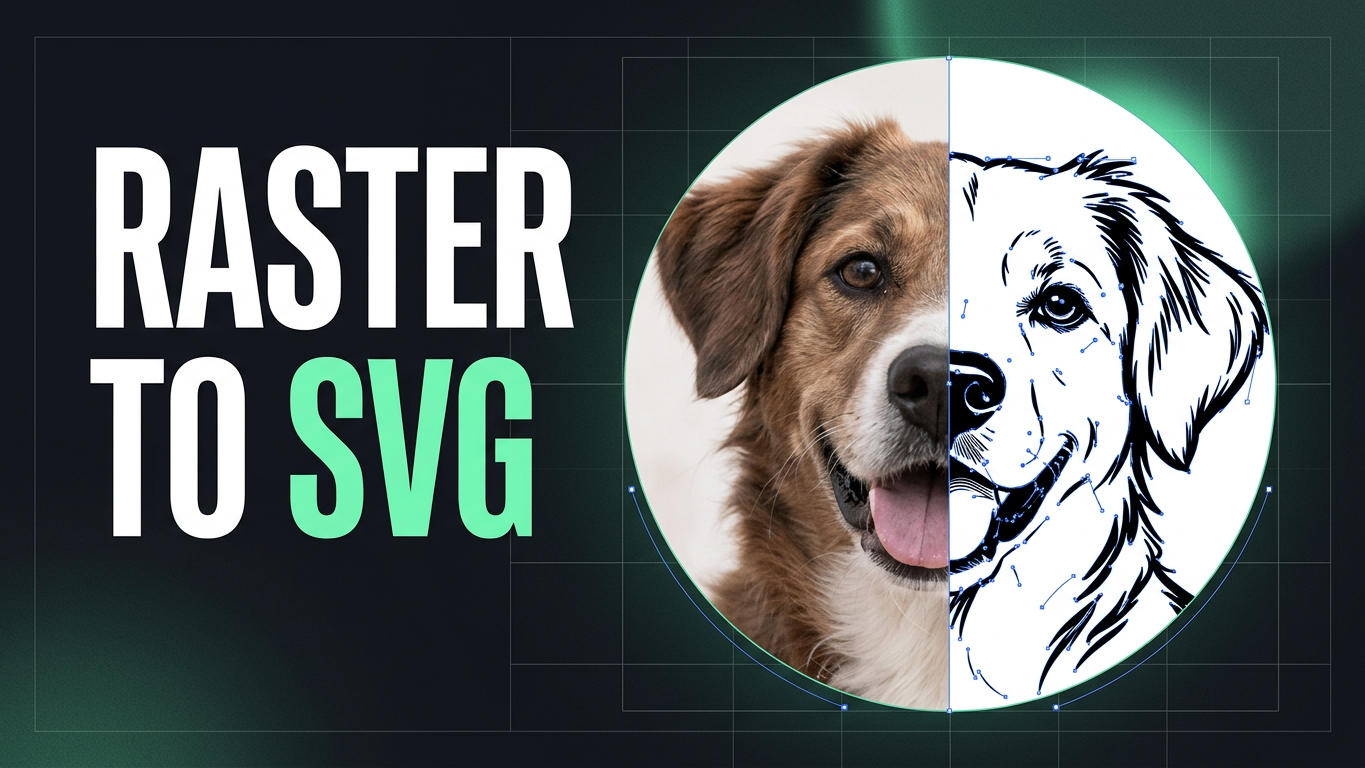
Watch: Convert Raster Images to SVG in Seconds with InkVectors
See the focused InkVectors workflow in a new 20-second demo: start with a PNG, JPG or WebP image, then create a clean high-contrast artwork direction for the next design step.
Read the guideWatch: Convert Raster Images to SVG in Seconds with InkVectors
See the focused InkVectors workflow in a new 20-second demo: start with a PNG, JPG or WebP image, then create a clean high-contrast artwork direction for the next design step.
PNG to SVG Converter: Turn a PNG into Clean Vector Artwork
Learn when a PNG can become useful SVG artwork, how to prepare the source, and how to check the result before it moves into a logo, print or editable-design workflow.
JPG to SVG Converter: Turn a JPG into Clean Vector Artwork
Learn when a JPG can become useful SVG artwork, how to prepare the source, and how to check the result before it moves into a print, cutting or design workflow.
WebP to SVG Converter: Turn a WebP into Clean Vector Artwork
Learn when a WebP can become useful SVG artwork, how to prepare the source, and how to check the result before it moves into an editable web, print or production workflow.
Vectorize a Logo: Turn a Raster Mark into a Clean SVG Starting Point
A practical logo-vectorization workflow for turning a PNG, JPG or WebP mark into cleaner scalable artwork while protecting proportions, lettering and negative space.
Convert Handwriting to Vector Artwork for Signs, Gifts and Print
Turn a handwritten note, signature or lettering sample into clean vector-artwork direction by capturing a high-contrast source and preserving the character of the stroke.
Vector Artwork for Screen Printing: Prepare Clear Shapes and Colour Layers
Use a clean vector-artwork starting point for screen printing, then check colour layers, line weight and final garment size before your print shop prepares the job.
PNG to SVG for Cricut: Prepare Simple, Clean Cutting Artwork
Turn a clear PNG into scalable SVG artwork for a Cricut-compatible workflow, then test thin lines, closed shapes and final size before cutting material.
Clean Up a Raster Logo for Illustrator: Start with a Better Vector Direction
A practical way to move a low-resolution raster logo toward an editable Illustrator workflow: isolate the mark, convert the major shapes, then refine brand-critical details by hand.
InkVectors vs. Vectorizer.AI: Which Image-to-Vector Workflow Fits the Job?
A practical comparison for choosing between a focused high-contrast image-conversion workflow and a broader format-rich vectorization tool—without pretending every source image or production job needs the same result.
Best Image-to-Vector Tools for Print and Cutting: Choose by Workflow
The best image-to-vector tool depends on what happens after conversion. Compare focused high-contrast artwork, local/private tracing and format-rich exports against the requirements of your printer, cutter or design workflow.
Artwork File Checklist for Print, Cutting, Embroidery and Logos
A practical preflight for turning a raster image into a production-ready artwork file without guessing what your printer, cutter or designer needs next.
How to Prepare Vector Artwork for Screen Printing and T-Shirts
Use this vector-art preflight checklist before sending a screen-printing or T-shirt design to a print shop.
Vector Illustration vs. Digital Painting: Which Fits Your Project?
Both can be expressive, but they behave differently. Compare vector illustration and digital painting by editing, texture, scale and production needs.
How to Convert a Handwritten Signature to a Vector (Signature to SVG)
From an email sign-off to packaging and stationery, a vector signature gives a personal mark the flexibility to travel across every surface.
How to Vectorize a Logo from a PNG (PNG to SVG)
A small PNG does not have to be the end of your brand asset. Use this practical checklist to rebuild a logo that can scale, print and stay editable.
What Is an SVG File? Scalable Vector Graphics Explained
SVG is more than a sharp image format. Learn how Scalable Vector Graphics work, where they belong in a design system, and when not to use one.
What Are Vector Graphics? Vector vs. Raster Images Explained
Vector graphics are the secret behind sharp logos, flexible icons and artwork that can move from a business card to a billboard without falling apart.
How to Convert an Image to a Vector (PNG, JPG or WebP)
Learn how PNG to SVG and JPG-to-vector conversion works, which images trace cleanly, and how to get a better result from a JPG, PNG or WebP.
SVG vs. PNG vs. JPG: Which Format Is Best for a Logo?
Stop guessing which file to send. Here is the practical difference between SVG, PNG and JPG for websites, print, logos and everyday design work.
Why Your Logo Needs a Vector File (PNG to SVG Guide)
Learn why vector logos beat PNG-only files and how to build a practical SVG, print, web, and apparel logo package.
The Best Vector File Format for Web, Print and Cutting
AI, EPS, SVG, PDF and DXF can all appear in a production handoff. Here is the simple way to choose the format that matches the next step.
Start with the image you already have.
InkVectors turns JPG, PNG and WebP files into clean artwork you can download, share and keep moving through your workflow.
Convert an image