

Vector artwork gives the printer a cleaner starting point
Screen printing works with intentional shapes and colour separations, so a clear vector-artwork result is much easier to inspect than a fuzzy raster source. It can help you see the silhouette, remove background clutter and decide which details deserve to survive at garment size.
It is still a starting point, not an automatic print-ready promise. A print shop will set the separations, trapping, inks and production rules for its equipment, and their requested format is the one that matters for handoff.
Design for ink on fabric, not only pixels on a screen
Fine lines and crowded shapes can look elegant at 200% zoom but fill in when printed on fabric. Preview the artwork at its actual print width, simplify fragile details and use clear negative space between important forms.
- Check the smallest line and gap at the final garment size.
- Separate colours intentionally instead of relying on accidental shading.
- Remove hidden objects, stray marks and unused background elements.
- Keep an editable master separate from the delivery file for the print shop.
Bring a concise brief to the printer
Alongside the artwork, share the intended print size, garment colour, ink colours and any placement reference. Those details make it easier for the printer to flag a potential issue before the run begins.
If the printer asks for outlined type, a vector PDF, EPS, AI or another format, follow that request. InkVectors can create a high-contrast conversion direction from a JPG, PNG or WebP, while the vendor owns the final production preflight.
See the conversion direction before you prepare the final file
A strong source image can be simplified into clear, high-contrast artwork. Treat the converted result as a production starting point: inspect it at the final size, then confirm the format and detail requirements with the next tool or vendor.
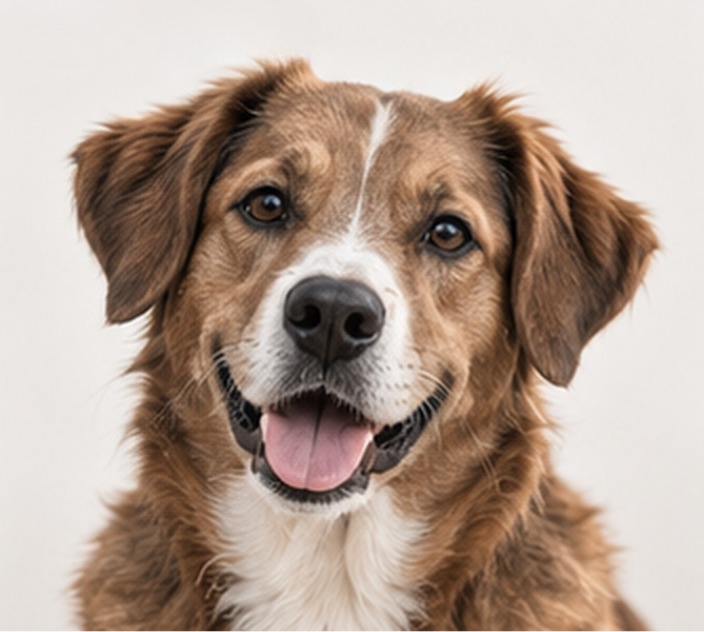
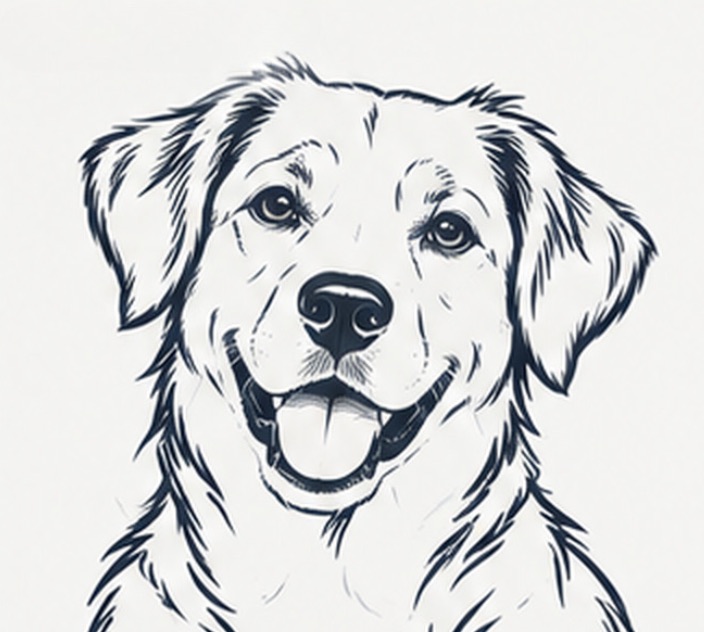
Example artwork illustrates a possible conversion direction. Detail, line weight and suitability depend on the source image and the intended workflow.
Production check before handoff
Share the intended physical dimensions and colour intent with the print shop. Ask for a proof before the run, especially when the artwork has fine detail or multiple colour layers.
Convert an image- Screen-print artwork benefits from clear shapes, intentional colour layers and generous negative space.
- Test the finest detail at the actual garment size, not only on a monitor.
- The printer’s requested format and proof remain the final production authority.