
Can a JPG become an SVG?
Yes—when the important parts of the JPG can be usefully rebuilt as shapes, paths and fills. A conversion does not enlarge the original pixels; it creates a new vector interpretation that can stay sharp as it scales.
The best candidates have a clear subject: a logo, lettering, a signature, line art or a photograph that you intentionally want simplified into high-contrast artwork. Because JPG compression can soften edges, a well-lit original with clear contrast will usually give the conversion a better starting point than a heavily compressed social-media download.
Prepare the source before conversion
The conversion has less to guess when the subject is obvious. Crop away unused background, preserve contrast around edges and start with the cleanest version you have instead of a screenshot of a screenshot.
- Keep the original file separately so you can revisit the source later.
- Crop tightly around the mark, lettering or subject that needs to become artwork.
- Remove visual distractions that could become stray paths or unwanted shapes.
- Decide whether you need simplified line art, a silhouette or an editable logo starting point before you convert.
Check the result in the workflow that matters
An SVG is useful when it keeps the shapes you need for a print, cutting or design workflow. Open the result at the final size, inspect corners and negative space, and make sure the level of detail fits the next step rather than only looking good on a large monitor.
For a vendor handoff, their requested format and preflight rules are the final authority. Keep an editable master and export a delivery file only when you know what the next tool accepts.
See the conversion direction before you prepare the final file
A strong source image can be simplified into clear, high-contrast artwork. Treat the converted result as a production starting point: inspect it at the final size, then confirm the format and detail requirements with the next tool or vendor.
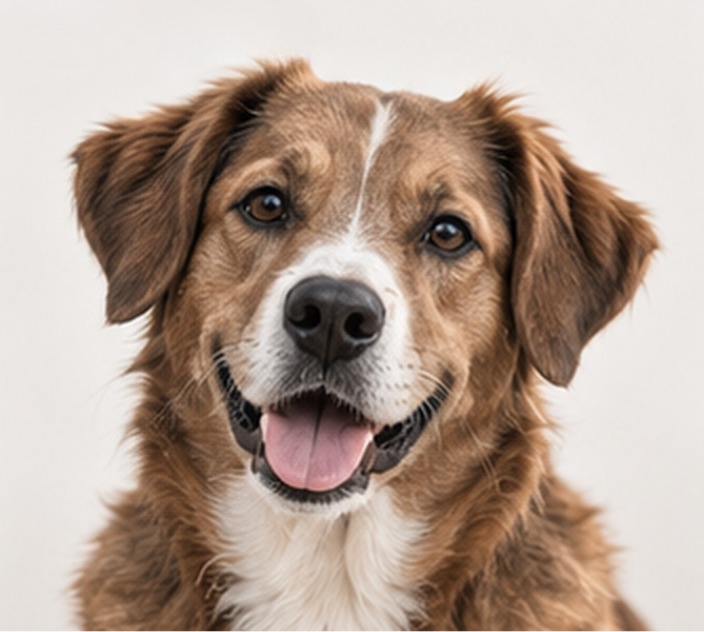
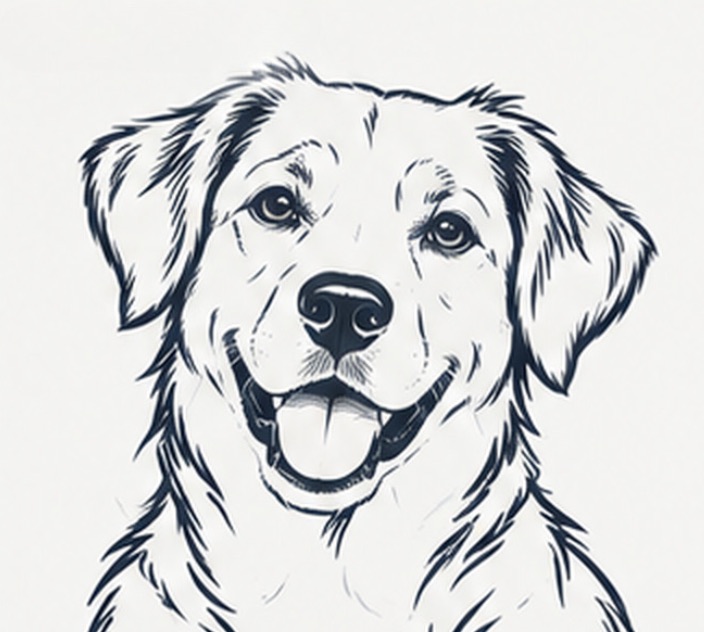
Example artwork illustrates a possible conversion direction. Detail, line weight and suitability depend on the source image and the intended workflow.
Production check before handoff
Before printing, cutting or handing off a file, inspect thin details and empty spaces at the final size. A clean SVG is a strong starting point, but it does not replace the next tool or vendor’s own preflight.
Convert an image- A JPG can become SVG artwork when its key forms can be rebuilt as readable paths and shapes.
- Clean contrast, an isolated subject and a clear final use make conversion results more useful.
- Inspect the result at its intended size and confirm the downstream format before handoff.