

The best tool is the one that fits the next step
There is no universal winner because image sources and downstream jobs are different. A sign shop, screen printer, Cricut project, Illustrator cleanup and CNC workflow all care about different things: simple paths, a specific file format, editable shapes, privacy, colour layers or a fast high-contrast interpretation.
Start by writing down the input you have, the physical size you need and the application or vendor that receives the result. That three-part brief will rule out more bad choices than a generic feature checklist.
Match the tool category to the job
InkVectors is the focused option for turning a PNG, JPG or WebP into a high-contrast artwork direction, especially when the result needs to read cleanly for print, signs, gifts, logos or a design starting point. It offers PNG results on every plan and SVG downloads on Creator and Studio.
Browser-local tools can be a sensible fit when an image must remain on the device and the workflow needs local tracing. Format-rich vectorizers can be a sensible fit when a vendor specifically needs DXF, EPS or PDF, or when you need detailed export controls. Each category solves a different constraint; do not mistake a longer feature list for a better outcome on your image.
- High-contrast artwork direction: evaluate InkVectors with the actual source image and intended final size.
- Privacy-first local tracing: consider a browser-local workflow when files must not leave the device.
- DXF, EPS or PDF handoff: choose a tool that explicitly supports the vendor’s required format, then test the exported file there.
- Brand-critical logo: use conversion as a starting point and allow time for a careful human review.
Run a small production test before you decide
Convert one representative image, not a perfect demo. Open the result in the next application and inspect its weak points: thin lines, interior gaps, curves, type-like shapes and scale. For a cutter, make a small test cut; for print, ask for a proof; for a logo, compare against an approved mark.
Use current provider documentation to confirm formats, privacy and pricing. Those details evolve, while a real test in the destination workflow gives you the most useful answer for your project.
See the conversion direction before you prepare the final file
A strong source image can be simplified into clear, high-contrast artwork. Treat the converted result as a production starting point: inspect it at the final size, then confirm the format and detail requirements with the next tool or vendor.

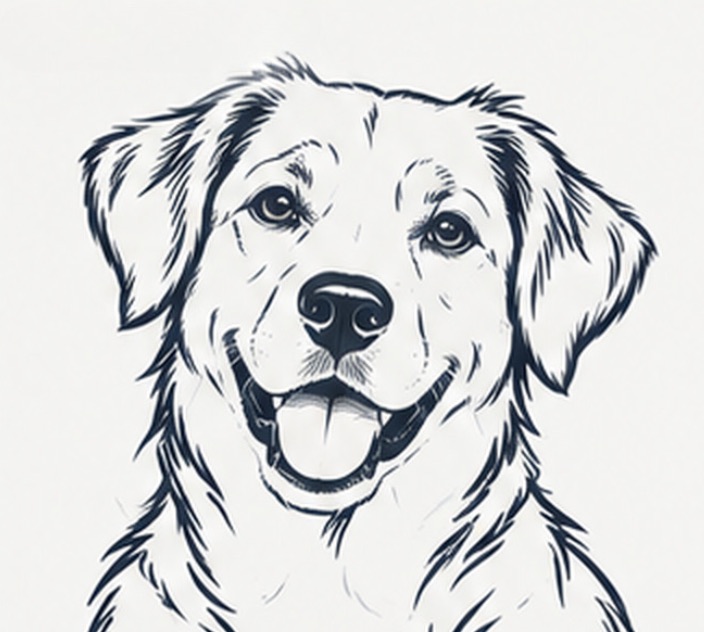
Example artwork illustrates a possible conversion direction. Detail, line weight and suitability depend on the source image and the intended workflow.
Production check before handoff
The production test is more valuable than a feature checklist. Confirm your vendor’s accepted format, then inspect a real export at final size before committing a batch or a paid plan.
Convert an image- Choose by the real production constraint: destination format, privacy, scale and editable detail.
- A focused high-contrast conversion, a local tracer and a format-rich vectorizer solve different jobs.
- Use a representative source and a small real-world proof before standardizing on a tool.