

Start with the result you need, not the product name
InkVectors is built around turning PNG, JPG and WebP sources into high-contrast vector-style artwork for people who need a clear production direction without first learning a tracing interface. It is a good fit when the job is a stylized line-art result, logo starting point, signature, printable artwork or a clean shape-based interpretation of an image.
Vectorizer.AI publicly presents a broader format and control-oriented vectorization workflow, including SVG, PDF, EPS and DXF output options. That can be a better match when the downstream workflow specifically needs one of those formats, detailed export settings or API-oriented processing. Check its current product documentation before you commit a production workflow.
Choose the workflow that matches the production constraint
For a production-ready high-contrast artwork direction from a JPG, PNG or WebP, InkVectors keeps the decision focused: choose the source, select Standard or Enhanced, then inspect the output in the workflow where it will be used. Creator and Studio plans include an editable SVG alongside PNG results.
For an application that explicitly requires DXF, EPS or PDF, a tool that offers that export can be the more direct route. For a brand-critical logo, a custom type treatment or a complex vendor specification, expect to perform a final review in a vector editor or with the production partner regardless of the first tool you choose.
- Choose InkVectors when a focused, high-contrast artwork direction and PNG/SVG workflow fits the job.
- Choose a format-rich tool when the next system specifically requires formats or controls InkVectors does not offer.
- Choose a manual designer-led workflow when brand geometry or custom lettering must match an approved master exactly.
Test the real source in the real destination
No comparison page can guarantee an outcome for every image. Run a representative source through the tools you are considering, then inspect the result at its actual size in the next application, cutter, printer or handoff workflow.
For time-sensitive production, verify current pricing, file-format support, retention policies and commercial terms directly with each provider. Product capabilities change; the destination workflow and your quality bar should decide the tool.
See the conversion direction before you prepare the final file
A strong source image can be simplified into clear, high-contrast artwork. Treat the converted result as a production starting point: inspect it at the final size, then confirm the format and detail requirements with the next tool or vendor.
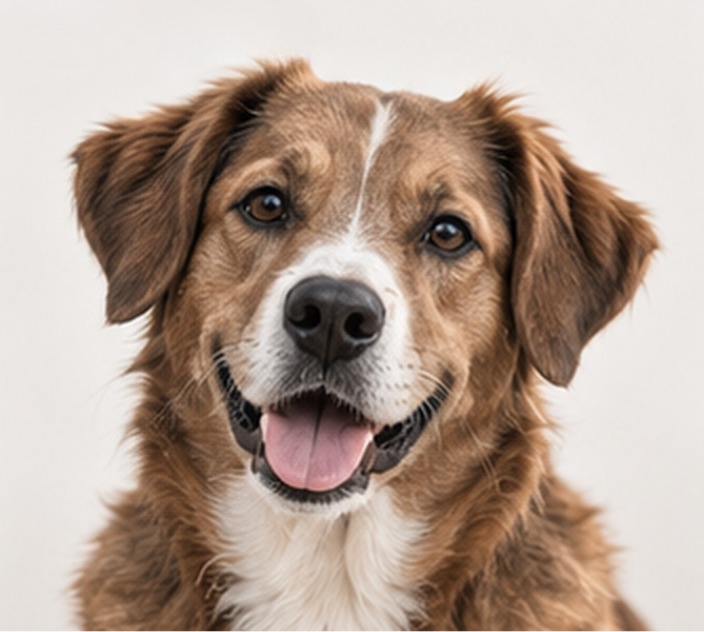
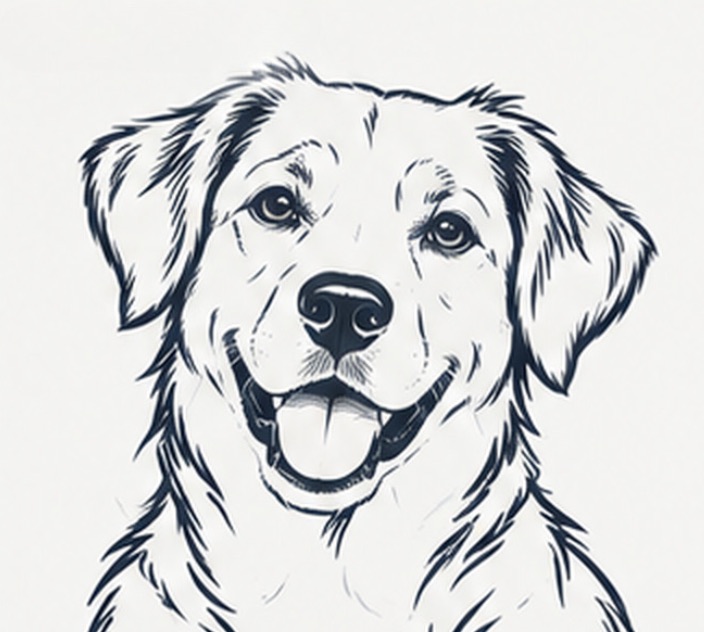
Example artwork illustrates a possible conversion direction. Detail, line weight and suitability depend on the source image and the intended workflow.
Production check before handoff
For a vendor-bound job, check the requested output format before you select a conversion tool. Use a real source and a small proof run to evaluate whether the resulting detail is practical.
Convert an image- InkVectors is focused on high-contrast artwork directions from PNG, JPG and WebP, with PNG and eligible-plan SVG downloads.
- Vectorizer.AI presents a wider set of output formats and controls for workflows that need them.
- The strongest choice is the one that proves itself with your source image in the actual destination workflow.